Fill IRCTC passenger forms in one click. Never miss the Tatkal window.
Save your passengers once. On booking day the passenger page fills itself in a second, and a countdown with alerts tells you exactly when the 10:00 / 11:00 IST window opens for your date.
You still press every button. No auto-login, no auto-submit, no CAPTCHA tricks, no payment handling. Bots get IRCTC accounts suspended; this is an autofill, not a bot.
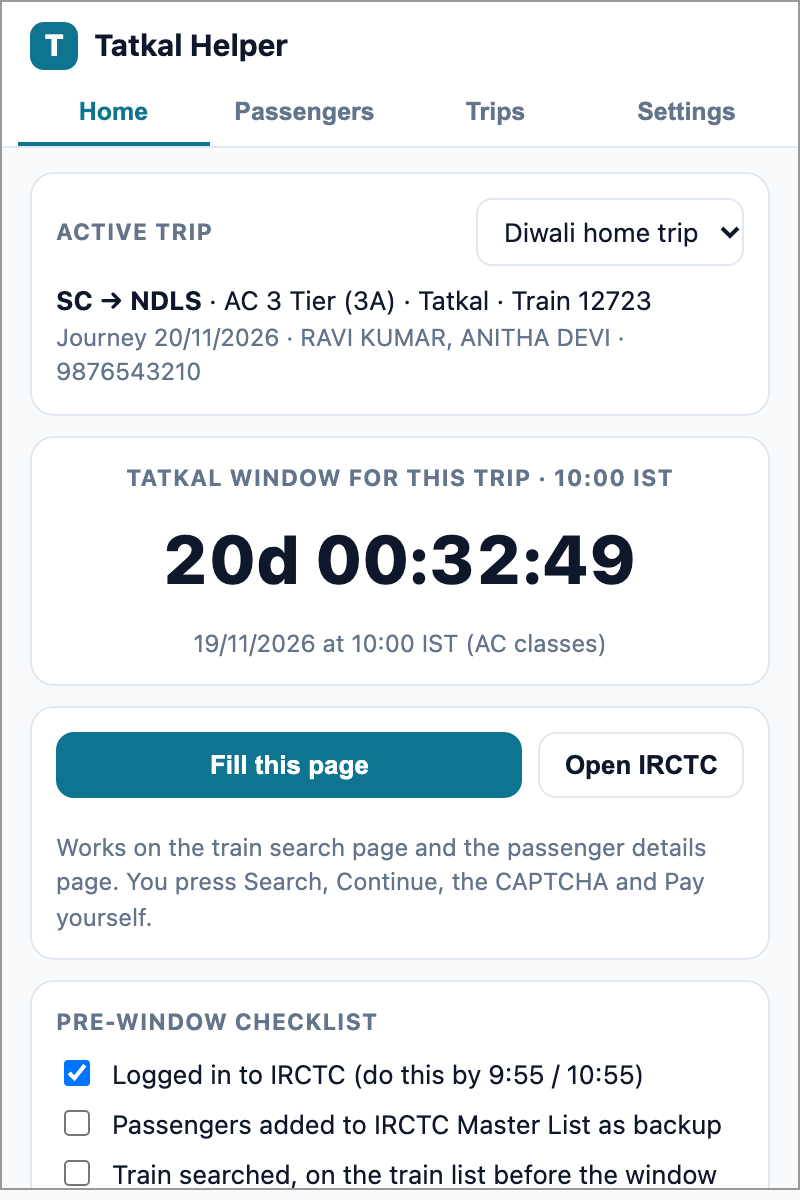
What you get
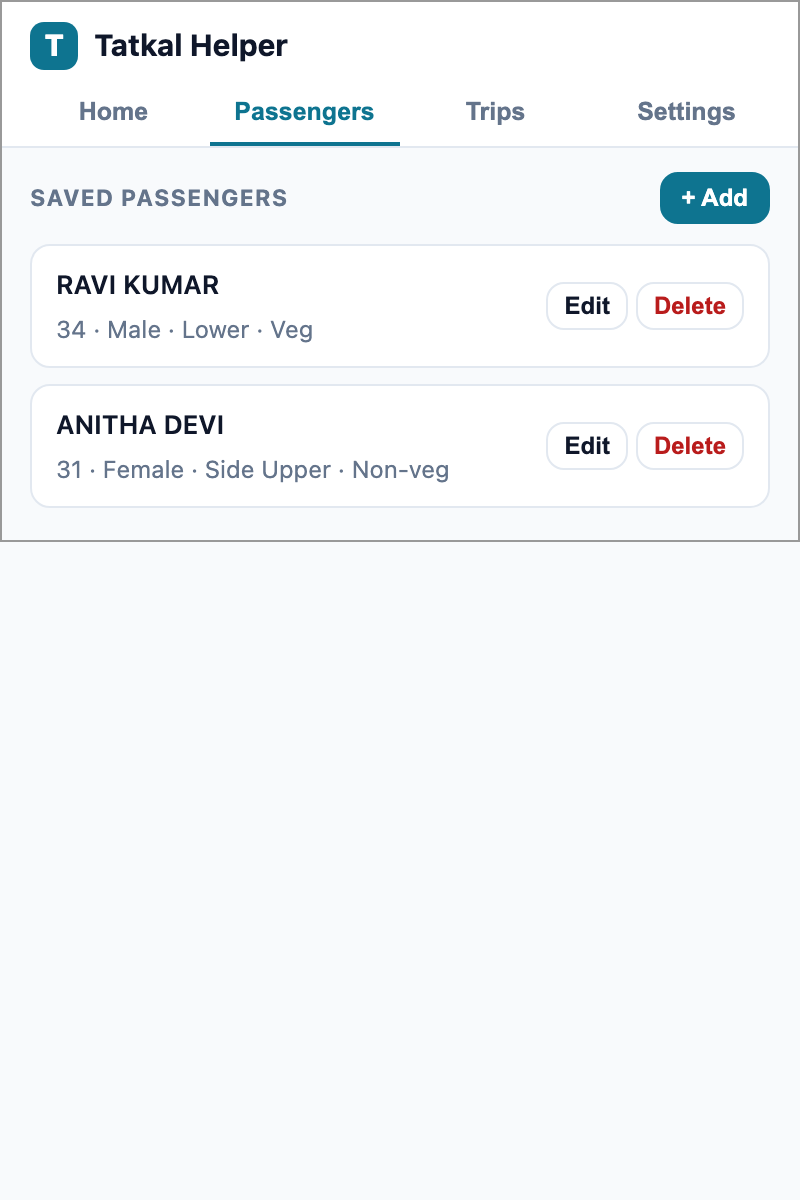
Saved passengers
Name, age, gender, berth and food preference, optional ID. Reuse them on every trip.
One-click fill
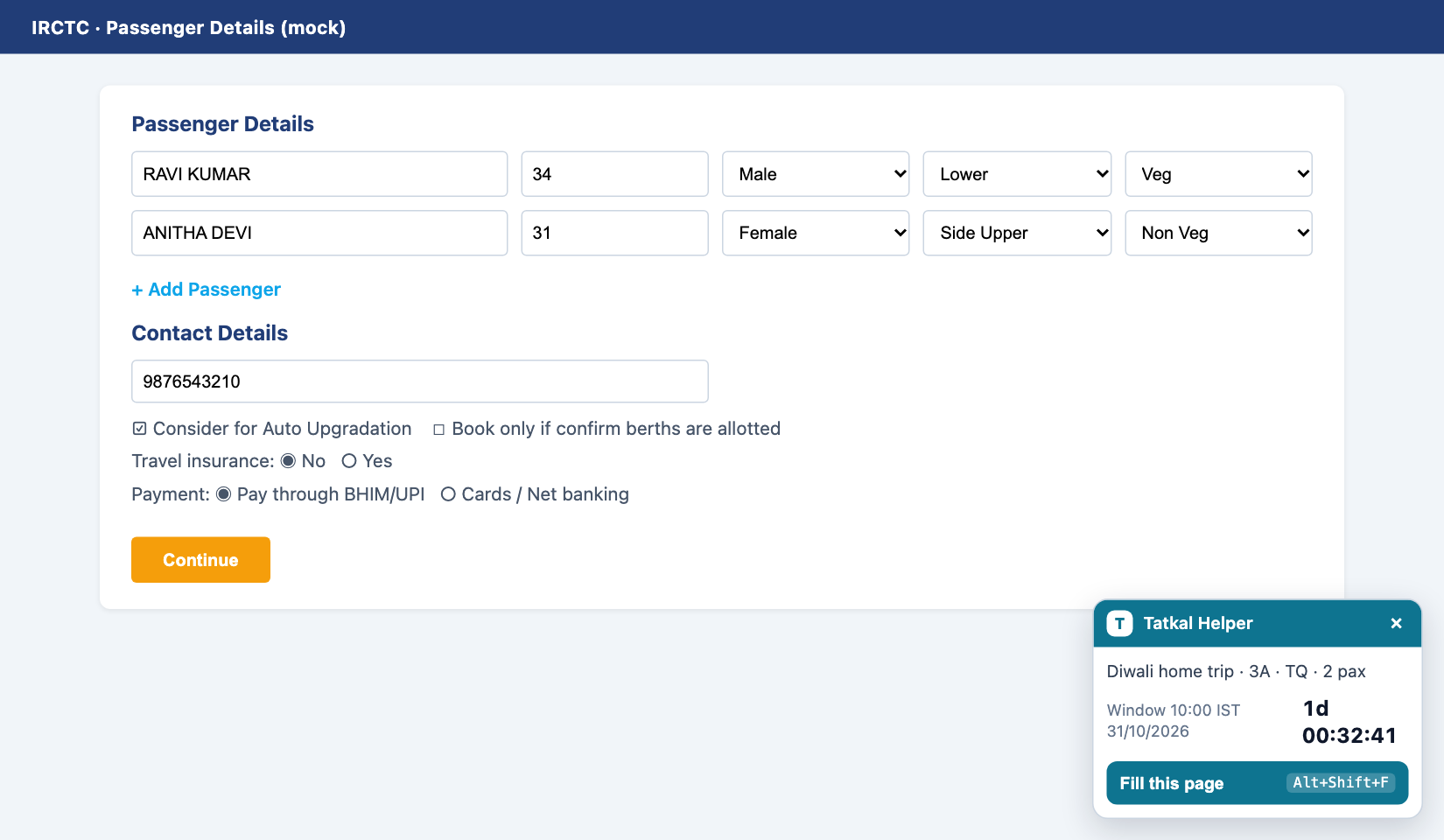
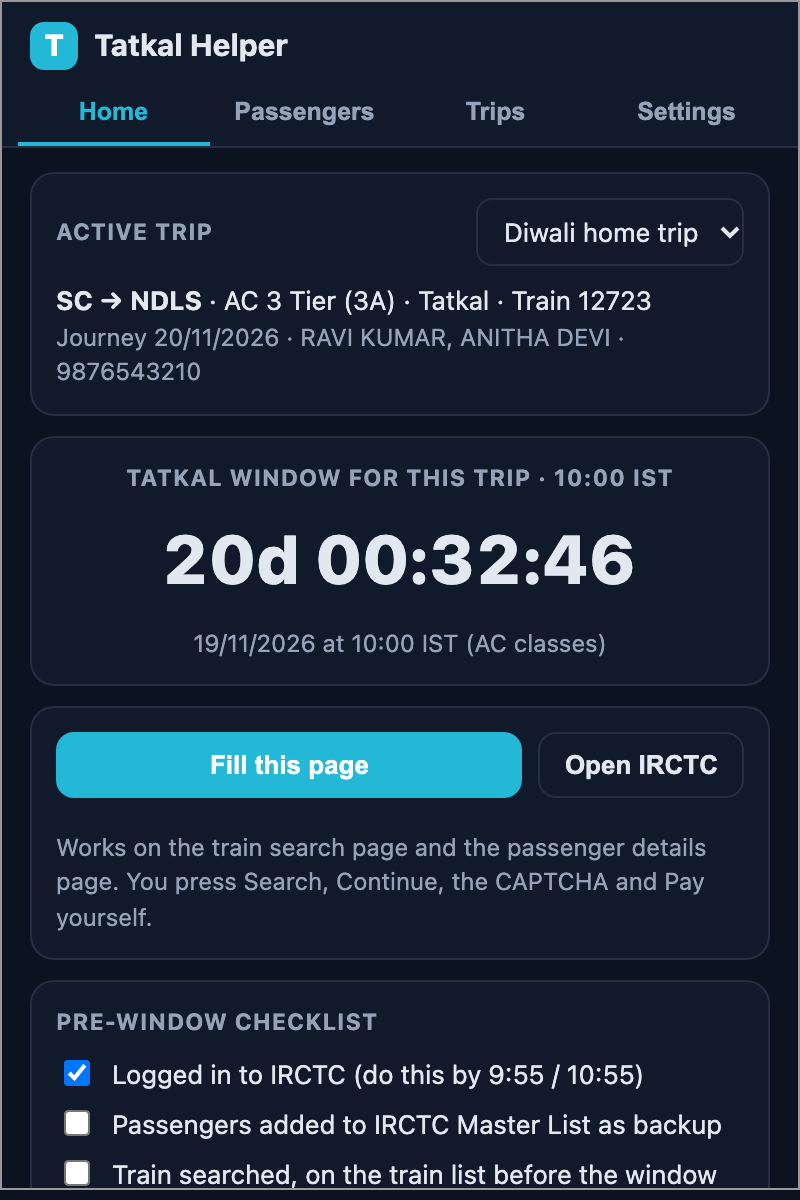
Search page and passenger page. Adds rows, fills every passenger, mobile, preferences, pre-selects UPI. Alt+Shift+F.
Window countdown
Knows the rule: one day before the journey, 10:00 IST for AC, 11:00 for non-AC. Badge shows minutes, then GO.
Alerts and checklist
Notifications 10 and 2 minutes before. A pre-window checklist so 9:59 is calm, not chaos.
Private by design
No server, no analytics, no network calls. Data stays in your browser. Export a backup any time.
Degrades gracefully
If IRCTC changes a field, the toast names it and the rest still fills. Fixes are usually a one-line selector.
How it works
Install. Download the zip, unzip, open chrome://extensions, turn on Developer mode, Load unpacked, pick the folder.
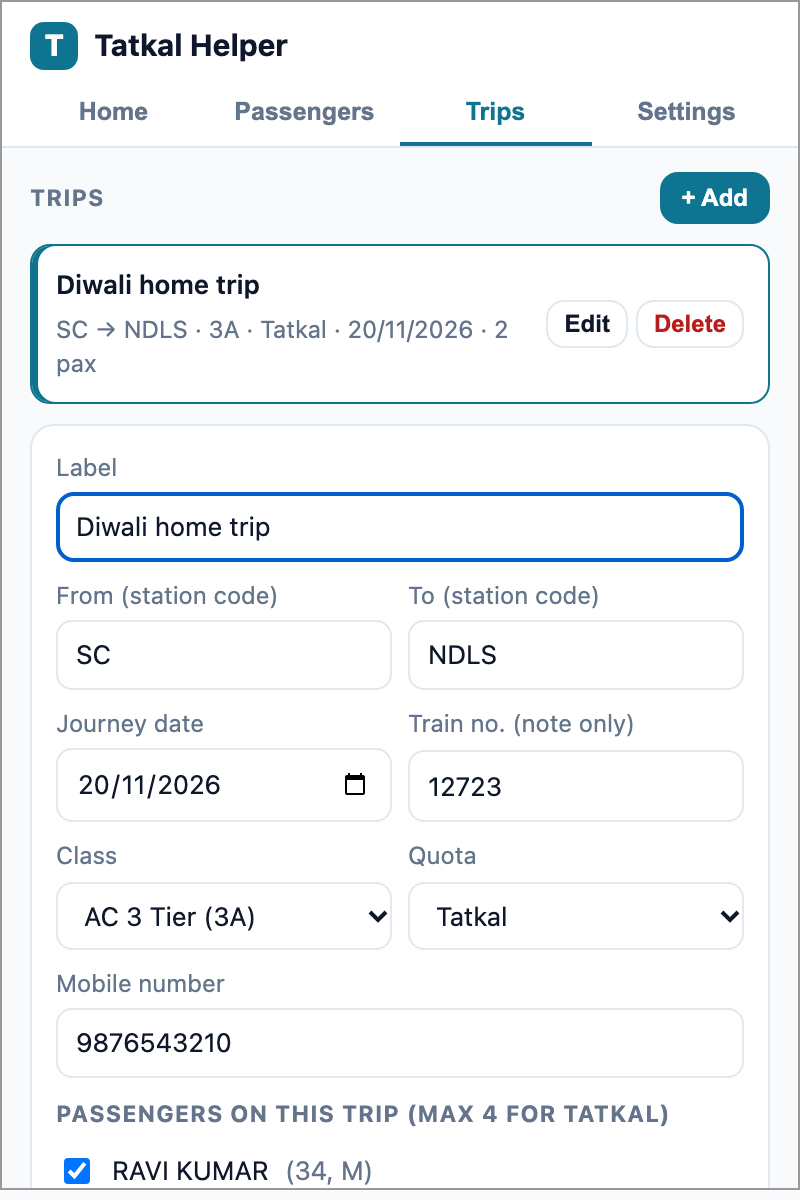
Set up once. Add passengers, create a trip with route, date, class, quota and mobile. Add the same passengers to IRCTC's Master List as a backup.
Booking day. Alerts fire. Log in, open the search page, press Fill, press Search. When the badge says GO, click your train and Book Now.
Passenger page. Press Fill again. Review, Continue, solve the CAPTCHA yourself, approve the UPI request on your phone.
Screens
FAQ
Does it book the ticket automatically?
No, and it never will. It fills form fields on pages you opened. You press Search, Book Now, Continue, the CAPTCHA and Pay.
Will IRCTC block my account?
IRCTC flags automated browsing such as Selenium or request bots. This extension does none of that; it behaves like a form autofill in your normal session. IRCTC's terms discourage all helper tools, so use your own judgement.
Is it better than IRCTC's Master List?
Use both. Master List saves most typing. Tatkal Helper also fills the mobile number, preferences and payment option, fills the search page, and adds the countdown, alerts and checklist.
Why not on the Chrome Web Store?
A listing needs review and may be rejected because of IRCTC's stance on helper tools. Load unpacked takes two minutes and needs no account.
Where is my data stored?
In chrome.storage.local on your machine. Nothing is sent anywhere.